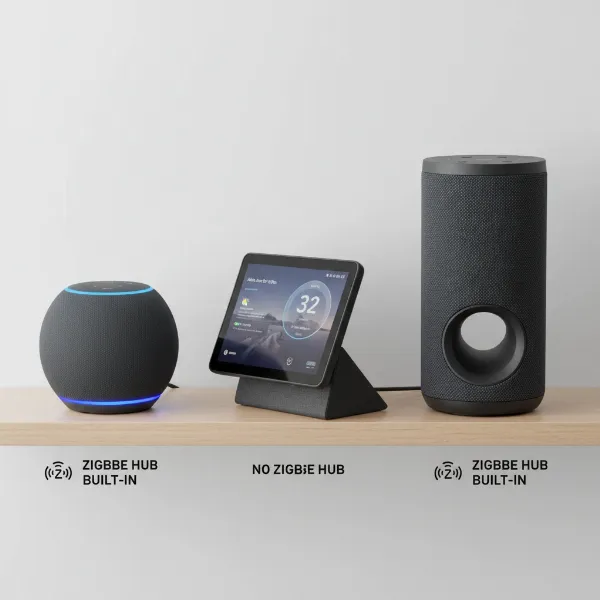
Smart speakers have revolutionized how we interact with technology, seamlessly blending into our daily lives and becoming indispensable companions. From setting alarms and managing smart home devices to answering complex questions, these voice-activated hubs have transformed our homes into intelligent ecosystems. Yet, for many, the true potential of their smart speaker as an entertainment and knowledge powerhouse, especially for podcasts and audiobooks, remains untapped.
As an experienced technician who has witnessed the smart speaker’s evolution from the early Amazon Echo days to the sophisticated Google Home and Apple HomePod models of today, I’m here to guide you through unlocking an immersive world of spoken-word content. This comprehensive guide will delve into connecting your favorite podcast and audiobook services, mastering essential voice commands, and optimizing your listening experience on any smart speaker.
Understanding Smart Speakers: Your Audio Companions
A smart speaker is an internet-connected device with an integrated virtual assistant, such as Amazon Alexa, Google Assistant, or Apple’s Siri. These speakers interpret voice commands to perform a wide array of tasks, from playing music and providing weather updates to controlling smart home devices and, critically, delivering spoken-word content. The journey of smart speakers began over a decade ago, evolving rapidly to offer enhanced sound quality, more intuitive voice recognition, and broader integration with third-party services. Today, brands like Amazon, Google, and Apple lead the market, each offering unique ecosystems and features designed to cater to diverse user preferences.
Your Gateway to Podcasts on Smart Speakers
Listening to podcasts on your smart speaker offers unparalleled convenience, allowing you to catch up on news, learn new skills, or simply be entertained hands-free. The process typically involves linking your preferred podcast service through the smart speaker’s companion app.
Connecting Podcast Services: A General Approach
|
Our Picks for the Best Smart Speaker in 2026
As an Amazon Associate I earn from qualifying purchases.
|
||
| Num | Product | Action |
|---|---|---|
| 1 | Google Audio Bluetooth Speaker - Wireless Music Streaming, Powerful Sound, Assistant Built-in, Wi-Fi and Bluetooth Connectivity, Smart Home Control, Stereo Pairing - Chalk |

|
| 2 | Portable Bluetooth Speaker Valentines Gifts For Him: Powerful Crystal Clear Sound/Romantic Light/IPX5 Waterproof/All Day Playtime/BT 5.3/TWS Paring,Small Wireless Speaker for Outdoor-Travel-Date Night |
|
| 3 | WiiM Sound Lite Smart Speaker, Hi‑Res 24‑bit/192 kHz, AI RoomFit™ Room Correction, 100W Peak, Wi‑Fi 6E/Bluetooth 5.3, Multi‑Room & Stereo Pairing, Black |
|
| 4 | Sony SRS-XB100 Wireless Bluetooth Portable Lightweight Super-Compact Travel Speaker, Durable IP67 Waterproof & Dustproof Shower Speaker, 16 Hour Battery, Versatile Strap, & Hands-free Calling, Black |
|
| 5 | Bluetooth Speaker with HD Sound, Portable Wireless, IPX5 Waterproof, Up to 20H Playtime, TWS Pairing, BT5.3, for Home/Party/Outdoor/Beach, Electronic Gadgets, Birthday Gift (Black) |
|
| 6 | Sonos Era 100 - White - Wireless, Alexa Enabled Smart Speaker |
|
| 7 | Mini Bluetooth Speaker, Smart Wireless Portable Speaker with Touchscreen, Loud HD Sound, LED Lights, BT5.4, All In One Small Audio for Home/Outdoor/Travel/Shower/Party/Beach/Camping/Hiking/Cycling |
|
| 8 | aowoka Bluetooth Speaker, 2025 Portable Wireless Speakers with Led Light, Bluetooth 5.4, 24H Playtime, Enhanced Bass, IPX7 Waterproof, Outdoor Speaker for Travel, Sport, Party, Biking. |
|
| 9 | Belkin SOUNDFORM Elite Hi-Fi Smart Speaker + Wireless Charger (Alexa Voice-Controlled Bluetooth Speaker) Sound Technology By Devialet, Fast Wireless Charging for iPhone, Samsung Galaxy & More - White |
|
| 10 | Bluetooth Speaker with HD Sound and Lights, Portable Wireless, Long-lasting battery life, TWS Pairing, for Home/Party/Outdoor/Travel/Beach, Stocking Stuffers, White Elephant Gifts for Adults (Black) |
|
Most smart speakers require you to link your audio streaming accounts within their dedicated mobile applications. This setup usually involves navigating to the “Settings” or “Music & Audio” section, where you can add or manage services like Spotify, Apple Podcasts, Google Podcasts, and more. Once linked, your smart speaker can access your subscriptions and playback progress.
Amazon Alexa: Enabling Your Favorite Podcasts
For Amazon Echo devices, the process to enable podcasts is straightforward:
- Open the Alexa app on your smartphone.
- Tap “More” in the lower right corner.
- Select “Settings” (⚙️).
- Scroll down and choose “Music & Podcasts.”
- If your desired service hasn’t been enabled or you’re not signed in, select it from the list and follow the prompts to link your account.
- If your service is already set up, tap “Default Services” at the top of the page.
- Under “PODCASTS,” tap “Change” and select your preferred podcast service.
Once connected, simply activate your Echo device with the hotword “Alexa” and command it to play your chosen podcast.
Google Assistant: Seamless Podcast Integration
Google Home and Nest devices integrate podcasts via the Google Home app:
- Open the Google Home app on your phone.
- Tap the plus sign (+) icon in the upper left-hand corner of the screen.
- Under “Add services,” select “Music and Audio.”
- Here, you can link your podcast app to the speaker.
After linking, you can use voice commands like “Hey Google” or “Ok Google” to control your podcast playback.
Apple HomePod (Siri): Your Personal Podcast DJ
Apple HomePod users can effortlessly stream podcasts directly through Siri. For Apple Podcasts, it’s largely seamless, as Siri has native integration.
- To add your HomePod to your list of audio destinations, go to the Settings app on your iPhone or iPad and open the Control Center.
- From your HomePod, Siri can play podcasts directly from the Apple Podcasts app. If you’re using another app, you might need to set up Siri Shortcuts for specific commands.
Essential Voice Commands for Podcasts
Mastering voice commands is key to a frictionless listening experience. Here are some common phrases:
| To Do This: | Say “Alexa,” “Hey Google,” or “Hey Siri,” then: |
|---|---|
| Play a specific podcast | “Play [podcast name]” or “Listen to [podcast name] on [service]” |
| Play the latest episode | “Play the latest episode of [podcast name]” |
| Continue listening | “Continue listening to [podcast name]” or “Play my podcast” |
| Go to next episode | “Next episode” or “Skip” |
| Go to previous episode | “Previous episode” |
| Pause/Resume | “Pause” / “Resume” or “Continue playing” |
| Stop listening | “Stop” or “Stop the podcast” |
| Discover new podcasts | “Recommend a podcast” or “Play a comedy podcast” or “Find podcasts about [topic]” |
| Control volume | “Set volume to [number]” or “Volume up/down” |
| Identify current show | “What’s playing?” or “What podcast is this?” |
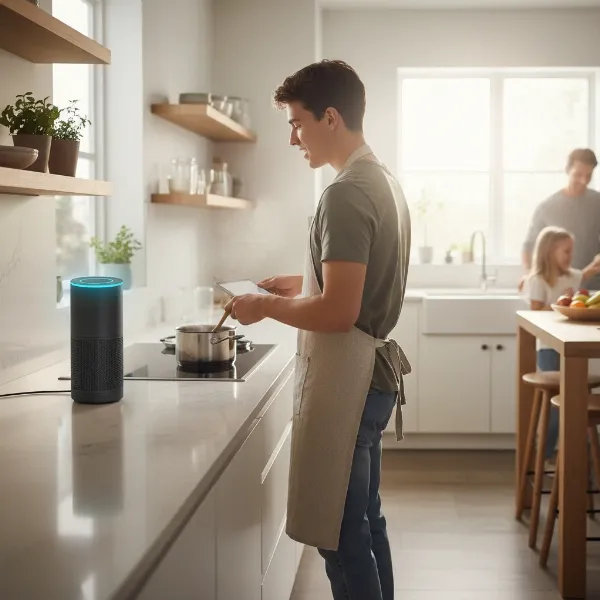 A person speaking voice commands to a smart speaker, illustrating how to play podcasts and audiobooks hands-free.
Diving into Audiobooks with Your Smart Speaker
Audiobooks transform your smart speaker into a personal reader, letting you enjoy novels, non-fiction, and more while you cook, clean, or simply relax. The integration and commands are similar to podcasts, with some platform-specific nuances.
Major Audiobook Platforms and Connectivity
- Amazon Echo (Alexa): Heavily integrated with Audible. When you link your Amazon account to your Echo, your Audible library is usually accessible by default.
- Google Assistant (Google Home/Nest): Primarily supports Google Play Books audiobooks. You’ll generally link your Google account, and purchased audiobooks become available.
- Apple HomePod (Siri): Integrates with Apple Books audiobooks. As with podcasts, Siri offers native support.
Connecting these services typically follows the same steps as linking podcast services within the respective companion apps (Alexa app, Google Home app). For other third-party audiobook apps that might not have direct integration, you may need to cast audio from your phone or utilize Bluetooth connectivity if available.
Voice Commands for Audiobooks
Controlling your audiobooks with voice is intuitive:
| To Do This: | Say “Alexa,” “Hey Google,” or “Hey Siri,” then: |
|---|---|
| Start/Continue a book | “Read my book” or “Read [book title]” |
| Go to specific chapter | “Go to chapter [number]” or “Next/Previous chapter” |
| Skip ahead/back | “Skip ahead [time]” or “Go back [time]” |
| Set a sleep timer | “Stop in [time] minutes” or “Set a sleep timer for [time] minutes” |
| Ask about the book | “Who wrote this book?” or “How much time is left?” |
| Pause/Resume/Stop | “Pause” / “Resume” / “Stop” |
“The true magic of smart speakers isn’t just their ability to play content, but how they seamlessly integrate into our lives, making information and entertainment accessible with just a spoken word. It transforms passive listening into an interactive experience.” – Sarah Chen, Smart Home Technology Analyst
Optimizing Your Listening Experience
Beyond basic playback, a few tips can enhance your smart speaker audio journey.
Placement and Sound Quality
The placement of your smart speaker significantly impacts sound quality and voice recognition. Ideally, place it in a central location, away from walls or corners that might muffle sound or interfere with microphone pickup. Experiment with different spots to find the optimal acoustics for your room.
Troubleshooting Common Issues
If your smart speaker isn’t playing the desired podcast or audiobook, try these steps:
- Be Specific: Provide the exact title and, if necessary, the streaming service (e.g., “Hey Google, play ‘Serial’ on Spotify”).
- Check Account Linking: Ensure your podcast/audiobook service is correctly linked and that you’re signed into the correct account.
- Review Digital Wellbeing Settings: On Google devices, “Filters” or “Downtime” in Digital Wellbeing settings might be blocking certain content.
Seamless Transitions Across Devices
Many modern audio services, including Spotify and Apple/Google Podcasts, offer seamless playback across devices. By logging into the same account on your smartphone, computer, and smart speaker, you can pause content on one device and pick up exactly where you left off on another. This multi-device continuity ensures your listening experience is always fluid.
Table: Popular Smart Speaker Platforms for Audio Content
This table highlights the primary capabilities of different smart speaker platforms for podcasts and audiobooks.
| Platform | Key Strengths for Spoken-Word Content | Supported Native Services (Examples) | Voice Assistant |
|---|---|---|---|
| Amazon Alexa | Wide range of podcast apps, deep Audible integration. | Audible, Spotify, Apple Podcasts, TuneIn | Alexa |
| Google Assistant | Excellent for discovering new content, integrates with Google Play. | Google Podcasts, Spotify, YouTube Music, Google Play Books | Google Assistant/Gemini |
| Apple Siri | Seamless experience within the Apple ecosystem. | Apple Podcasts, Apple Books | Siri |
Tips for Maximizing Your Smart Speaker’s Audio Potential
To ensure you get the most out of your smart speaker for podcasts and audiobooks, consider these practices:
- Regular Software Updates: Keep your smart speaker’s software updated. Updates often bring new features, improve performance, and enhance compatibility with streaming services.
- Optimize Placement: Beyond sound quality, proper placement ensures your voice commands are heard clearly, even over background noise or the content itself.
- Create Routines: Leverage your smart speaker’s routines feature to automate your listening. For example, “Good Morning” could trigger the latest news podcast, or “Bedtime Story” could start an audiobook with a sleep timer.
- Explore Podcasts from New Angles: Don’t just stick to what you know. Use discovery commands like “Alexa, recommend a historical podcast” to broaden your horizons.
Conclusion
Smart speakers are more than just intelligent home hubs; they are powerful tools for immersive audio experiences, bringing the vast libraries of podcasts and audiobooks directly into your living space. By understanding how to connect your favorite services, mastering intuitive voice commands, and applying a few optimization tips, you can transform your smart speaker into your ultimate personal audio companion. Whether you’re seeking knowledge, entertainment, or a captivating story, your smart speaker is ready to deliver.
What will be the first podcast or audiobook you dive into with your newly optimized smart speaker?
Frequently Asked Questions
Can I listen to podcasts and audiobooks offline on my smart speaker?
Smart speakers generally require an active internet connection (Wi-Fi) to stream podcasts and audiobooks. Unlike mobile devices where you can download content for offline listening, smart speakers are primarily streaming devices and typically do not have internal storage for local playback of these media types without a connection.
How do I switch between different podcast or audiobook apps on my smart speaker?
To switch between different services, you often need to specify the service in your voice command, such as “Alexa, play [podcast name] on Spotify” or “Hey Google, read [book title] from Audible.” You can also set a default service for podcasts or audiobooks within your Smart Speaker’s companion app (e.g., Alexa app, Google Home app), so you don’t have to name the service every time.