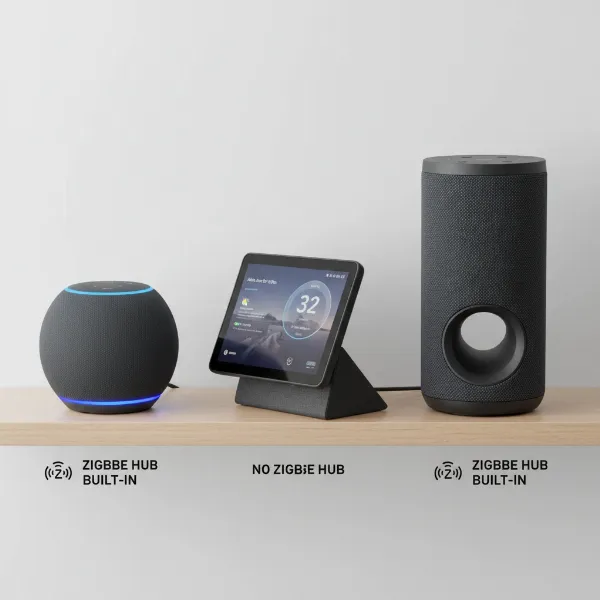
Imagine settling down for a quiet evening, perhaps enjoying a movie or a book, when suddenly your smart speaker springs to life, announcing a random fact or playing unexpected music. This unsettling experience, where your smart assistant activates without a clear command, is a common frustration for many smart home users. These unexpected activations not only disrupt your peace but can also raise concerns about privacy and device reliability. Understanding why your smart speaker might be triggering randomly and knowing how to address these issues is crucial for maintaining a harmonious smart home.
This comprehensive guide will delve into the various reasons behind these phantom activations, from environmental factors to software quirks and unintended settings. We’ll provide a step-by-step troubleshooting process, offering practical solutions to help you regain control and ensure your smart speaker only speaks when spoken to.
Understanding Why Your Smart Speaker Activates on Its Own
When a smart speaker “randomly triggers,” it means the device activates its listening mode or responds to a perceived command without a deliberate wake word or explicit interaction from you. This can manifest as an illuminated light ring, an audible “ding,” or even a full vocal response.
Several factors contribute to these unwanted activations:
- Accidental Wake Word Detection: Often, the primary culprit is the smart speaker misinterpreting background noise as its wake word. This could be dialogue from a TV show, segments of a conversation, or even sounds that acoustically resemble “Alexa,” “Hey Google,” or “Siri.” For instance, a character named “Alex” in a movie might unintentionally activate your device.
- Automated Routines and Reminders: Many users forget about or inadvertently set up automated routines, alarms, or reminders within their smart speaker app. These could be time-based, location-based, or triggered by other smart home devices, leading to unexpected announcements or actions at inconvenient times, especially during the night.
- Connectivity Issues: A weak, unstable, or intermittent Wi-Fi connection can cause your smart speaker to reboot or lose communication with its servers. This can sometimes result in the device acting as if it received a command during its re-connection process or due to miscommunication.
- Software Glitches and Outdated Firmware: Like any sophisticated electronic device, smart speakers rely on software. Bugs in the operating system or outdated firmware can lead to unpredictable behavior, including false activations. Manufacturers frequently release updates to address such issues and improve performance.
- Proactive Features (e.g., Alexa Hunches): Smart assistants often include “proactive” features designed to anticipate your needs or offer helpful suggestions. Alexa’s “Hunches” feature, for example, might suggest locking a door or turning off lights. While sometimes convenient, these can also be perceived as random, unsolicited interventions if not properly managed.
- Third-Party Skill Conflicts: If your smart speaker integrates with numerous third-party skills or smart home devices, there’s a possibility of conflicts. A glitch in a connected skill, or an unexpected interaction between devices, could inadvertently send a trigger signal to your smart speaker.
- Microphone Sensitivity: Smart speakers are designed with sensitive microphones to pick up commands from across a room. However, if the sensitivity is too high, it might register faint sounds, whispers, or even environmental noises as a wake word, leading to unwanted responses.
Step-by-Step Guide to Stop Unwanted Smart Speaker Activations
Tackling random smart speaker triggers requires a systematic approach. Start with the simpler solutions before moving on to more complex diagnostics.
Initial Checks: Easy Fixes First
It’s always best to start with the most straightforward solutions. These often resolve the majority of random triggering incidents.
- Review Activity History: Most smart assistant apps (Alexa, Google Home) keep a detailed log of all voice commands and interactions. Regularly checking this history can reveal exactly what your speaker “heard” that caused it to activate, pinpointing the source of the false trigger. Look for unrecognized commands or timestamps that correspond with the unwanted activations.
- Check and Disable Routines/Alarms: Dive into your smart speaker’s app settings to review all active routines, alarms, and reminders. Many users discover a forgotten routine set months ago or an alarm someone else in the household created. Delete any automated actions that you don’t recognize or no longer need.
- Update Software/Firmware: Ensure your smart speaker is running the latest software version. Manufacturers frequently roll out updates that include bug fixes, performance improvements, and enhancements to wake word detection algorithms, which can reduce false activations. Check your device’s settings within the app for available updates.
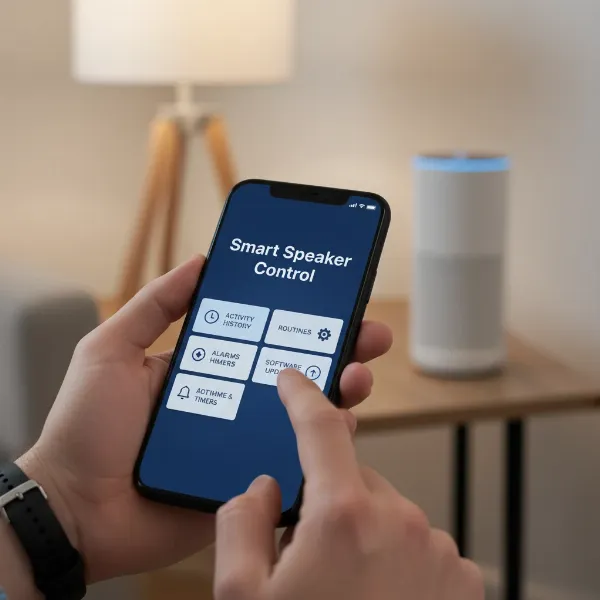 A hand holding a smartphone showing a smart speaker app, checking settings and updates.
Optimizing Your Smart Speaker’s Environment and Settings
Once initial checks are done, focus on refining your device’s setup and physical placement.
- Change Your Wake Word: If “Alexa” or “Hey Google” is frequently confused with background chatter, consider changing the wake word to a less common alternative. For example, Alexa devices often offer “Echo,” “Amazon,” or “Computer,” while Google Assistant might offer “Hey Google” or “Okay Google” variations, and some third-party solutions allow for custom wake words. This simple change can drastically reduce accidental activations caused by phonetic similarities.
- Adjust Microphone Sensitivity: Some smart speaker models allow you to adjust their microphone sensitivity within the app. Lowering this setting can make the device less prone to picking up faint sounds or misinterpreting distant conversations as commands. Consult your device’s specific app for this option.
- Strategic Placement: The physical location of your smart speaker plays a significant role.
- Move it away from TVs, radios, or other audio sources: These devices can easily generate sounds that resemble wake words.
- Avoid reflective surfaces: Walls, glass, or large furniture can cause sound echoes, distorting audio and confusing the speaker’s microphones.
- Keep it clear of air vents or noisy appliances: Ambient noise can sometimes be misinterpreted. An open, central location in a room is often ideal.
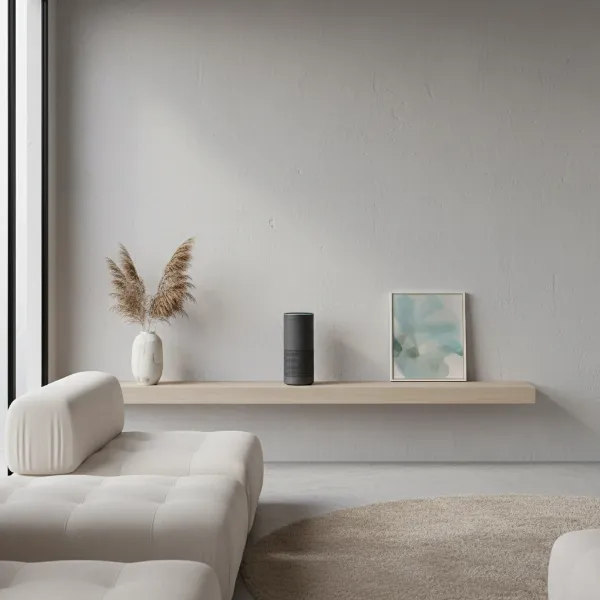 A smart speaker placed optimally in a living room, away from noise sources and reflective surfaces.
- Manage Wi-Fi and Interference: A stable internet connection is vital for smart speaker performance.
- Ensure strong Wi-Fi signal: Use a network analyzer app to check signal strength in your speaker’s location.
- Reduce interference: Bluetooth and Wi-Fi operate on similar frequencies (2.4 GHz). Move your smart speaker away from other devices that use this band, such as microwaves, cordless phones, baby monitors, or even your Wi-Fi router itself. If your router supports it, consider connecting your smart speaker to the 5 GHz band, which is generally less congested.
- Disable Proactive Features (Alexa Specific): If you own an Amazon Echo device, you can turn off features like “Hunches” and “Things to Try” within the Alexa app. Navigate to the “More” menu, then “Settings,” and look for these specific features to disable their notifications or functions entirely. This prevents Alexa from offering unsolicited assistance.
- Audit Connected Accounts and Devices: Ensure no unauthorized users have access to your smart speaker’s account or app. If you share your smart speaker with family members, confirm they haven’t inadvertently set up routines or connected devices that are causing the activations. Reviewing linked services and permissions in your smart assistant app can help identify any rogue connections.
Advanced Troubleshooting for Persistent Issues
If the problem persists after trying the common solutions, it’s time to explore more advanced steps.
- Disable Unused Skills: If you have numerous third-party skills enabled, try disabling them one by one. A buggy skill could be inadvertently sending signals to your smart speaker, leading to unexpected activations. Monitor the speaker’s behavior after each skill is disabled to identify the culprit.
- Utilize Do Not Disturb Mode: For times when you absolutely cannot tolerate any interruptions, such as during sleep or important meetings, activate the “Do Not Disturb” (DND) mode on your smart speaker. Most devices allow you to schedule DND for specific hours or activate it manually through voice commands or the app.
- Factory Reset Your Smart Speaker: As a last resort, performing a factory reset can often resolve deep-seated software issues. This will revert the device to its original factory settings, requiring you to set it up again from scratch. Be aware that this will erase all your personalized settings, routines, and linked accounts, so use it only when other options have failed.
- Contact Customer Support: If you’ve exhausted all troubleshooting steps and your smart speaker continues to trigger randomly, it’s time to reach out to the manufacturer’s customer support. They may have advanced diagnostic tools or be aware of specific bugs affecting your device model.
Smart Speaker Random Triggering Solutions
| Problem Area | Common Cause | Solution |
|---|---|---|
| Voice Detection | Accidental wake words, background noise | Change Wake Word (e.g., “Computer” instead of “Alexa”), Adjust Microphone Sensitivity, Strategically Reposition Speaker away from noise. |
| Automations | Unintended routines, alarms, reminders | Review and Disable all Routines, Alarms, and Reminders in the smart speaker app. |
| Connectivity | Weak Wi-Fi, network interference | Improve Wi-Fi signal strength, Move speaker away from sources of interference (microwaves, routers), Consider using the 5 GHz Wi-Fi band. |
| Software | Bugs, outdated firmware | Regularly Update Firmware/Software through the device’s app. |
| Proactive Features | Alexa Hunches, “Things to Try” | Disable these specific features in the smart assistant app settings. |
| External Conflicts | Third-party skills, connected devices | Disable unused or problematic skills, Audit and disconnect unauthorized connected accounts/devices. |
Expert Tips for a Quieter Smart Home
Beyond immediate fixes, adopting good smart home practices can prevent future random triggers.
“The key to a well-behaved smart speaker lies in proactive management. Regularly auditing your settings and understanding your device’s capabilities are your best defense against unexpected activations.” – Alex Chen, Smart Home Integration Specialist
- Regularly Review Settings: Periodically check your smart speaker’s settings, especially after major software updates or when adding new smart home devices. New features can sometimes introduce unintended behaviors.
- Understand Privacy Settings: Familiarize yourself with how your smart speaker handles voice recordings and privacy. Most platforms allow you to review and delete past recordings, which can also help identify patterns in false triggers.
- Consider a Separate Wi-Fi Band: If your router supports both 2.4 GHz and 5 GHz bands, connecting your smart speaker to the less congested 5 GHz network can improve stability and reduce interference, minimizing connectivity-related phantom activations.
Conclusion
A smart speaker that triggers randomly can transform a helpful assistant into an intrusive nuisance. By understanding the common causes—from accidental wake word detection and unintended routines to connectivity issues and software glitches—you are empowered to take control. Implementing solutions such as changing your wake word, adjusting microphone sensitivity, optimizing device placement, and diligently managing your app settings are crucial steps. A harmonious smart home is one where technology serves you precisely when and how you intend.
Has your smart speaker ever surprised you with an unexpected activation, and what steps did you take to resolve it?
Frequently Asked Questions
Can my smart speaker listen to me when I’m not using the wake word?
Smart speakers are designed to constantly listen for their specific wake word, but they do not typically record or send audio data to the cloud until the wake word is detected. They process audio locally to identify the wake word, only activating fully and transmitting data when it is heard.
Does high microphone sensitivity cause random triggers?
Yes, high microphone sensitivity can significantly contribute to random triggers. When a smart speaker’s microphones are set to be very sensitive, they are more likely to pick up faint sounds, background noises, or even distant conversations that might be misinterpreted as the wake word, leading to unwanted activations.
How often should I update my smart speaker’s firmware?
You should update your smart speaker’s firmware whenever a new update becomes available. These updates often include critical bug fixes, security patches, and performance enhancements that can improve wake word detection accuracy and reduce the likelihood of random triggers. Many devices update automatically, but it’s good practice to check periodically.
Can smart speakers be hacked to activate randomly?
While sophisticated hacking of a Smart Speaker for random activation is rare, it’s theoretically possible if the device’s security is compromised, often through vulnerabilities in third-party integrations or user-enabled settings. However, most instances of random triggering are due to the aforementioned common causes like misheard wake words or unintended routines rather than malicious external interference.