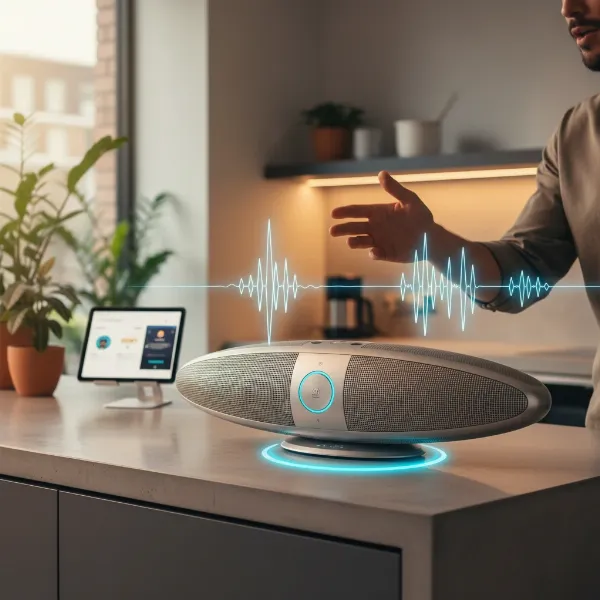
In the dynamic world of smart speakers, finding a device that balances pristine audio, versatile connectivity, and smart home integration can be a challenge. The Yamaha MusicCast 20 enters this arena as a compelling contender, a compact wireless speaker designed to elevate your audio experience without overwhelming your living space. Is this the perfect smart speaker to anchor your multi-room audio setup or enhance your home theater? This in-depth review explores every facet of the MusicCast 20, from its rich sound profile to its seamless ecosystem integration, helping you decide if it’s the ideal choice for your discerning ears and smart home aspirations.
Popular Smart Speaker Types in the Market
Smart speakers have evolved dramatically since the early days of voice-activated assistants, transforming how we interact with audio and our homes. Initially simple devices for playing music and answering queries, they’ve grown into sophisticated sound systems capable of multi-room audio, home theater integration, and seamless control over smart devices. Key players like Amazon, Google, and Apple have dominated the market, but traditional audio manufacturers like Yamaha have also made significant strides, offering high-fidelity alternatives that prioritize sound quality within their own ecosystems.
Overview of Smart Speakers
A smart speaker is an internet-connected device that combines a loudspeaker with an integrated virtual assistant, allowing users to interact via voice commands to play music, set alarms, check the weather, and control smart home devices. The Yamaha MusicCast 20, while not featuring a built-in voice assistant, distinguishes itself as a robust wireless speaker that integrates deeply into the broader MusicCast multi-room audio system. Its development reflects a trend where audio quality and flexible connectivity are paramount, appealing to users who value a rich sound experience and the ability to expand their audio setup over time. Yamaha, with its long-standing reputation in audio, leverages its MusicCast platform to deliver a high-quality, interconnected sound experience across various components.
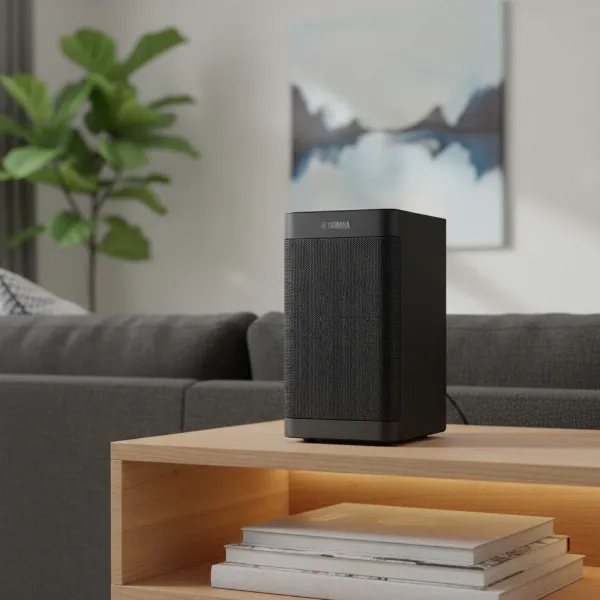 Front view of the sleek Yamaha MusicCast 20 smart speaker in a modern living room setting.
Classifying Smart Speakers by Features
Smart speakers offer a diverse range of functionalities, catering to different user preferences.
- Smart Speakers with Virtual Assistants: Many popular smart speakers come with Google Assistant, Amazon Alexa, or Apple Siri built-in, enabling hands-free voice control directly from the device. These speakers are the nerve center for many smart homes, responding to commands, managing schedules, and even initiating calls.
- Smart Speakers Without Virtual Assistants: The Yamaha MusicCast 20 falls into this category for its lack of a native voice assistant. However, it offers compatibility with Amazon Alexa, allowing users to control it via an existing Echo device. This setup caters to those who might already have a preferred voice assistant hub but desire a higher-fidelity speaker for audio playback.
- Multifunctional Smart Speakers: These devices go beyond basic audio playback and voice commands. The MusicCast 20 is a prime example, offering multi-room audio capabilities, the ability to form a stereo pair with another MusicCast 20, and even function as wireless rear surround speakers in a 5.1 home theater system when paired with a compatible Yamaha AV receiver. It supports a wide array of streaming services and high-resolution audio formats, making it a versatile audio hub.
Classifying Smart Speakers by Size and Design
The physical attributes of smart speakers also play a significant role in their appeal and placement within a home.
- Mini Smart Speakers: These are typically small, discreet, and designed for portability or inconspicuous placement. They prioritize convenience over expansive sound.
- Mid-Sized Smart Speakers: The Yamaha MusicCast 20 fits comfortably into this category. Measuring approximately 5-7/8″ x 7-3/8″ x 5-1/8″ and weighing 4.8 pounds, it’s designed to be compact enough for any shelf or counter without compromising on sound output. This size makes it a versatile choice for various rooms, from a bedroom to a kitchen or home office.
- Large Smart Speakers: These are built for commanding presence and room-filling sound, often featuring more powerful drivers and advanced acoustic designs.
- Uniquely Designed Smart Speakers: Beyond standard cylindrical or rectangular forms, some speakers boast distinctive aesthetics. The MusicCast 20 features a sleek, modern design with a smooth, glossy finish available in black or white, allowing it to blend seamlessly with contemporary home decor. Its wall-mountable option further enhances its placement flexibility.
Your Guide to Choosing a Smart Speaker
Selecting the perfect smart speaker involves considering several factors tailored to your lifestyle and audio preferences.
Defining Your Usage Needs
Before diving into specifications, consider what you primarily want from a smart speaker. Are you looking for a dedicated music player to fill a room with high-quality sound, or do you need a central hub for controlling your smart home devices? For the Yamaha MusicCast 20, its strengths lie in audio fidelity and system flexibility. It excels for listeners who prioritize rich sound for music streaming, want to build a multi-room audio system, or wish to integrate wireless rear speakers into their home theater setup. Its ability to handle high-resolution audio formats also appeals to audiophiles.
Comparing Brands and Models
The smart speaker market is competitive, with many brands offering compelling features. While voice assistants often drive brand loyalty, products like the MusicCast 20 emphasize sound quality and ecosystem integration. Yamaha’s MusicCast platform stands out for its extensive range of compatible devices, from soundbars to AV receivers, allowing for a highly customized and scalable audio network. When comparing the MusicCast 20, particularly against popular speakers like the Sonos One, you’ll note differences in native voice assistant integration (Sonos One has it built-in) versus the MusicCast 20’s focus on audio performance and the broader MusicCast ecosystem. Reading detailed reviews and product comparisons can illuminate subtle differences in sound profile, app functionality, and overall user experience.
Essential Factors When Purchasing a Smart Speaker
When considering the Yamaha MusicCast 20 or any other smart speaker, keep these critical aspects in mind:
- Sound Quality: The MusicCast 20 delivers a full, natural sound with a powerful and deep low end, natural midrange, and soft highs. It can reach impressive volumes, especially when paired for stereo sound. Some reviewers note a slight emphasis on higher lows and a treble that is present but not overly sharp. For optimal bass, activating the “bass booster” mode via the MusicCast app is recommended. This speaker is praised for its punchy sound and natural tonality in the midrange.
- Connectivity: Versatility is key. The MusicCast 20 offers robust connectivity options, including dual-band Wi-Fi (2.4/5 GHz) for stable streaming, Bluetooth 4.2 + EDR for broad device compatibility, Apple AirPlay (with AirPlay 2 via firmware update), and an Ethernet port for wired network connection. It also supports Spotify Connect and integrates with various other streaming services via the MusicCast app.
- Smart Features: While it doesn’t have a built-in voice assistant, the MusicCast 20 is compatible with Amazon Alexa via an external Echo device, allowing for voice control over music playback. Its core “smartness” comes from the Yamaha MusicCast ecosystem, enabling seamless multi-room audio, stereo pairing with another MusicCast 20, and serving as wireless rear surrounds in a 5.1 home theater setup with a compatible Yamaha AV receiver. The intuitive MusicCast app provides comprehensive control.
- Design and Durability: The MusicCast 20 features a sleek, modern, and compact design that integrates well into various room aesthetics. Its build quality is described as excellent, feeling robust and well-put-together. The option for wall-mounting adds to its versatile placement.
- Price: Originally priced around $250, the Yamaha MusicCast 20 offers significant value, particularly given its sound quality and extensive multi-room and home theater capabilities. This places it competitively within the premium wireless speaker segment.
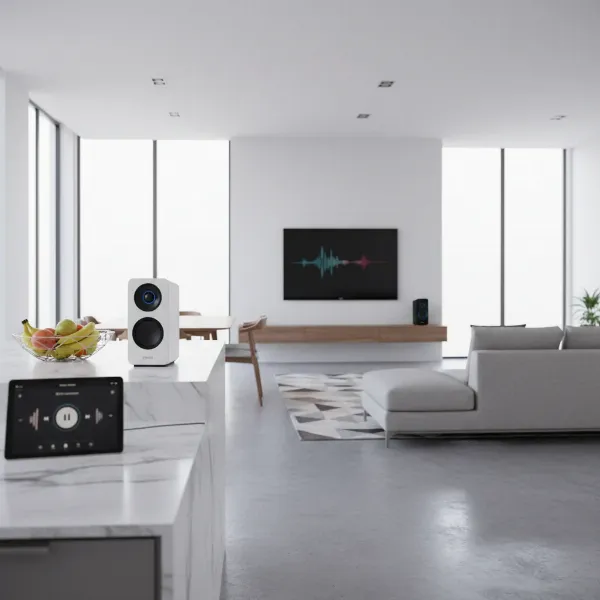 Multiple Yamaha MusicCast 20 speakers seamlessly integrated into a multi-room audio system in a modern home.
Comparison of Top Smart Speaker Models
Here’s a comparison of the Yamaha MusicCast 20 against popular alternatives, highlighting key differences:
| Model | Pros | Cons | Reference Price |
|---|---|---|---|
| Yamaha MusicCast 20 | Excellent sound quality, Hi-Res audio, multi-room, stereo pairing, wireless 5.1 surround capable, robust connectivity, sleek design. | No built-in voice assistant (relies on external Alexa device), bass extension may not satisfy extreme bass enthusiasts. | $250 |
| Sonos One | Excellent sound for its size, built-in Alexa/Google Assistant, robust multi-room system, sleek design, Trueplay tuning. | No Bluetooth (relies on Wi-Fi), higher price point than some, bass can be less impactful than larger speakers. | $219 |
| Popular Entry-Level Smart Speaker | Affordable, built-in voice assistant, compact size, basic smart home control. | Often compromises on sound quality, limited connectivity options, less robust multi-room capabilities. | $50 – $100 |
Tips for Using and Maintaining Your Smart Speaker
To ensure your Yamaha MusicCast 20 delivers the best performance and lasts for years, consider these practical tips:
- Optimal Placement: Experiment with placement. For balanced sound, avoid placing it directly in a corner, which can sometimes overemphasize bass. Its compact size and wall-mountable design offer flexibility; placing it on a sturdy shelf or stand at ear level can enhance sound dispersion.
- Regular Cleaning: Keep your MusicCast 20 free from dust and debris by gently wiping it with a soft, dry cloth. Avoid abrasive cleaners or liquids that could damage the finish or internal components.
- Software Updates: Regularly check for and install firmware updates via the MusicCast app. Yamaha frequently releases updates that can improve performance, add new features, or enhance connectivity and stability. Users often praise its “set-it-and-forget-it” firmware updates.
- Maximize Features with the MusicCast App: The MusicCast app is your command center. Use it to fine-tune sound settings, activate features like bass booster, set up stereo pairs, configure multi-room zones, and integrate with your favorite streaming services. It’s also essential for the initial setup and managing wireless connections.
“The Yamaha MusicCast 20 masterfully combines elegant design with a powerful audio delivery, making it a standout choice for those prioritizing sound fidelity within a flexible wireless ecosystem.” – SmartSpeakerBox.com Admin, Smart Speaker Expert
Conclusion
The Yamaha MusicCast 20 stands as a formidable contender in the wireless speaker market, offering a compelling blend of premium sound quality, extensive multi-room capabilities, and flexible integration within the MusicCast ecosystem. While it opts for external voice assistant compatibility rather than an integrated one, its robust connectivity, high-resolution audio support, and ability to function in stereo pairs or as wireless surrounds underscore its value for audiophiles and smart home enthusiasts alike. If your priority is exceptional sound and a scalable audio system that adapts to your needs, the MusicCast 20 is an investment that truly delivers. Are you ready to transform your home audio with the power and versatility of Yamaha MusicCast?
Frequently Asked Questions
Can the Yamaha MusicCast 20 be used as part of a home theater system?
Yes, the Yamaha MusicCast 20 can be used as wireless rear surround speakers for a 5.1-channel home theater system when paired with a compatible Yamaha MusicCast Surround-capable AV receiver. This provides a clean, cable-free solution for immersive surround sound.
Does the Yamaha MusicCast 20 have a built-in voice assistant like Alexa or Google Assistant?
No, the Yamaha MusicCast 20 does not have a built-in voice assistant. However, it is compatible with Amazon Alexa, meaning you can control music playback and other functions using voice commands through an existing Amazon Echo device.
What kind of music streaming services does the Yamaha MusicCast 20 support?
The MusicCast 20 supports a wide array of streaming services including Spotify Connect, Tidal, Qobuz, Deezer, and Napster, along with internet radio stations. Its versatility allows you to stream music from virtually any source through the MusicCast app or via Bluetooth and AirPlay.
Is the Yamaha MusicCast 20 easy to set up for multi-room audio?
Setting up the Yamaha MusicCast 20 for multi-room audio is straightforward thanks to the intuitive MusicCast app. The app guides you through connecting the speaker to your Wi-Fi network and integrating it with other MusicCast-compatible devices for a seamless whole-home audio experience.
Can I pair two Yamaha MusicCast 20 speakers for stereo sound?
Absolutely. One of the key features of the MusicCast 20 is its ability to be paired with another MusicCast 20 speaker to create a true stereo sound stage. This significantly enhances the depth and richness of your audio experience, especially for music listening.