Ever leave the house and get that nagging feeling you left a light on? Or maybe you settle into bed, only to wonder if the front door is actually locked. We’ve all been there. It’s that little human “hunch” that something isn’t quite right. Well, what if your smart home had that same kind of intuition? That’s precisely the idea behind one of the most interesting and quietly brilliant features in the Amazon ecosystem. So, What Are Alexa Hunches? In short, they are proactive suggestions from your voice assistant, based on your daily habits and the state of your smart home devices, designed to make your home smarter and your life a little easier.
It’s a feature that shifts Alexa from a purely reactive assistant that waits for your commands to a proactive partner that anticipates your needs. Think of it less as a robot and more as a helpful roommate who notices when you’ve forgotten something. This subtle but powerful feature is a glimpse into the future of smart homes—a future where our technology doesn’t just listen, but also understands and helps without always being asked. Let’s pull back the curtain and explore how these digital gut feelings come to life.
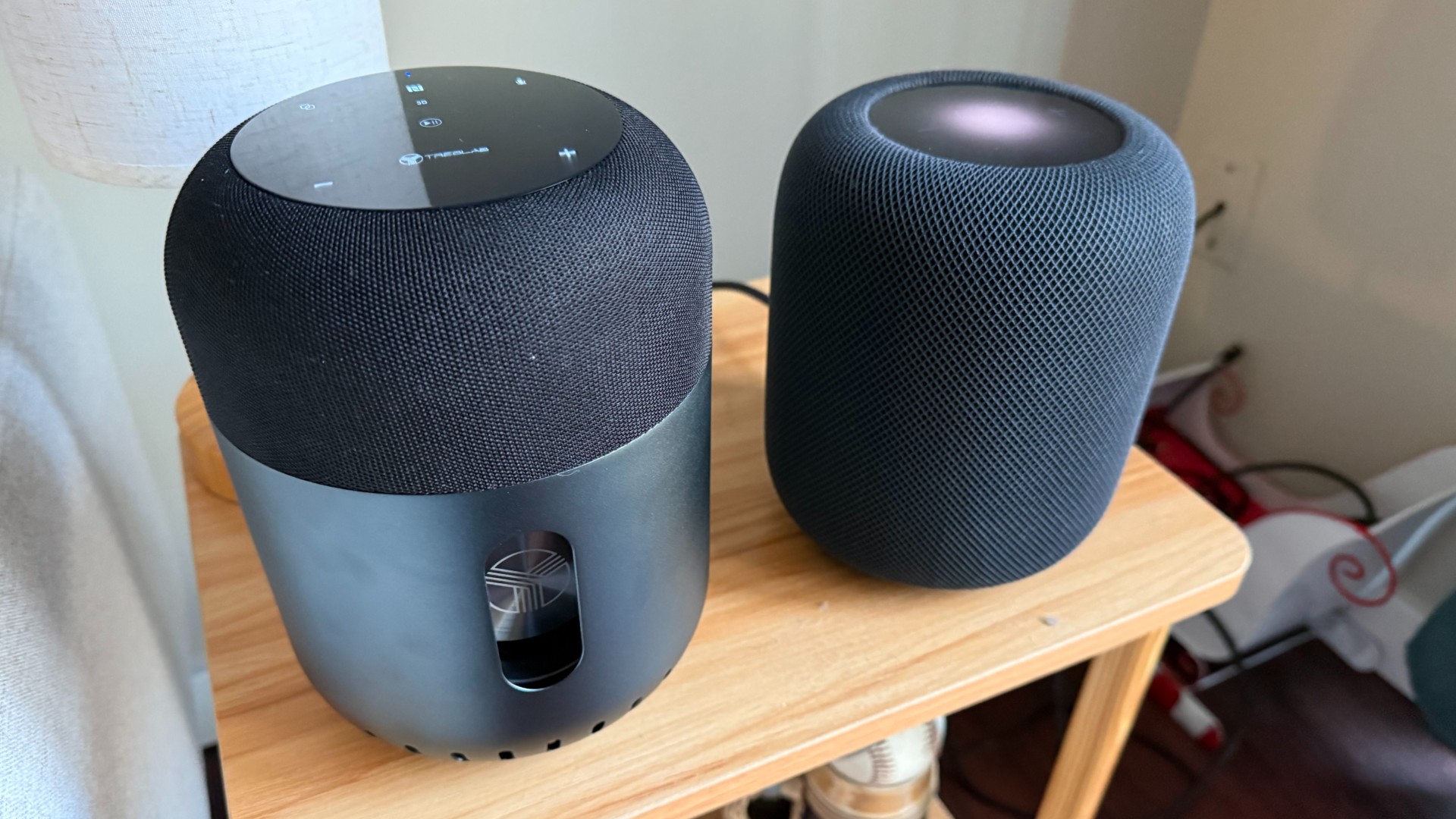
First, A Quick Refresher: The Magic Behind Smart Speakers
Before we dive deep into the predictive power of hunches, it’s worth remembering what makes these devices tick. At its core, a smart speaker like an Amazon Echo is a sophisticated gateway to the internet and your connected devices. It’s not just a speaker; it’s a command center for your digital life.
When you say the wake word, “Alexa,” the device starts recording and sends your voice command to Amazon’s powerful cloud servers. There, advanced Artificial Intelligence (AI) and Natural Language Processing (NLP) work together to decipher what you said and what you meant. It then sends the appropriate command back to your device or to another connected service—whether that’s playing a song from Spotify, turning on your Philips Hue lights, or telling you the weather. It’s a near-instantaneous conversation between you, your speaker, and a massive digital brain. This very system of learning and processing is the foundation upon which features like Hunches are built.
The main draw is convenience. You can control a vast array of devices, get information, and manage your day, all with the power of your voice.
- Entertainment Hub: Stream music, podcasts, and audiobooks from various services.
- Smart Home Conductor: Control lights, thermostats, locks, plugs, and more from compatible brands.
- Personal Assistant: Set timers, create shopping lists, manage your calendar, and get answers to your burning questions.
So, What Exactly Are Alexa Hunches?
An Alexa Hunch is a proactive suggestion or action that Alexa offers when it detects that a smart home device is in a state that’s unusual for your typical routine. It’s Amazon’s AI trying to be genuinely helpful by noticing patterns in your behavior and pointing out anomalies.
Imagine you say, “Alexa, good night.” Normally, this might trigger a routine that turns off all your lights and plays some calming sounds. But tonight, Alexa notices your front door smart lock is still unlocked. Instead of just running the routine, Alexa might respond with, “By the way, the front door is unlocked. Should I lock it for you?”
“The goal of proactive assistance isn’t just to do what it’s told, but to understand context and intent. Features like Hunches represent a critical step away from simple command-and-response and toward a truly symbiotic relationship between humans and their smart environment.”
— Dr. Evelyn Reed, AI Interaction Specialist
That simple question is the magic of a Hunch. It’s based on a learned pattern: every other night at this time when you say ‘good night’, the front door is locked. The one time it isn’t, Alexa has a “hunch” that you may have forgotten.
How Does Alexa Get These “Hunches” Anyway?
This isn’t psychic energy; it’s smart data analysis. Alexa’s Hunches work by using machine learning algorithms to recognize your daily and weekly patterns. It quietly observes the state of your connected smart home devices over time.
It learns things like:
- You almost always turn off the living room lamp before 11 PM.
- You typically lock your back door shortly after sunset.
- When you leave the house (perhaps detected by your phone’s location or by you saying “Alexa, I’m leaving”), all the lights are usually off and the thermostat is set to an ‘away’ temperature.
The system isn’t listening to your private conversations. Instead, it’s looking at the state data from your devices: on/off, locked/unlocked, temperature settings, etc. When you give a command or a routine is triggered, Alexa does a quick check. If it finds a device in a state that contradicts your established pattern, it generates a Hunch. It’s a digital detective, noticing clues you might have missed in your daily rush.
Real-World Examples: Hunches in Action
The theory is cool, but how does this play out in real life? Here are some common scenarios where you might encounter an Alexa Hunch.
- Leaving the House: You say, “Alexa, I’m leaving.” Alexa might reply, “Okay. By the way, the bedroom light is on. Should I turn it off for you?”
- Bedtime Routine: You say, “Alexa, good night.” You might hear back, “Good night. I have a hunch that the garage door is still open. Would you like me to close it?”
- Waking Up: You turn off your morning alarm and Alexa might say, “Good morning. I have a hunch you’re running low on the coffee pods you usually order. Would you like to buy more?” This integrates with your Amazon shopping history.
- Unusual Activity: If a motion sensor in a room hasn’t detected movement for hours but the TV is still on, Alexa might have a hunch you’ve left the room and forgotten to turn it off.
These small interventions can save energy, improve security, and just generally remove a bit of mental load from your day.
How to Manage Your Alexa Hunches
Having a proactive assistant is great, but you’re always in control. You can easily turn Hunches on or off, and you can even have them act automatically without asking you first.
Here’s a step-by-step guide to managing the settings in your Alexa app:
- Open the Alexa app on your smartphone.
- Tap the More button in the bottom-right corner.
- Select Settings from the list.
- Scroll down and tap on Hunches.
- On this screen, you’ll see a master toggle to Enable or Disable the feature entirely.
- You can also go into Settings within the Hunches menu to get more granular control, including allowing Alexa to perform some actions automatically (like turning off an empty room’s lights) without asking for permission.
For most people, leaving them on with the confirmation prompt is the sweet spot between helpfulness and control.
The Big Question: Are Alexa Hunches a Privacy Concern?
It’s a fair question. The idea of an AI “watching” your habits can sound a little unsettling. However, it’s important to understand what is being monitored.
Alexa is not listening to your conversations to generate Hunches. It is analyzing anonymized metadata from your smart devices—the same data used to make them function in the first place. It’s pattern recognition on an operational level. The “learning” happens within Amazon’s secure cloud, and the goal is utility, not surveillance.
Ultimately, Amazon has put control in the user’s hands. If the feature makes you uncomfortable, you can disable it with a few taps, as shown above. The transparency and control offered are key to building the trust necessary for these kinds of proactive features to succeed.
Frequently Asked Questions (FAQ)
Q: Do Alexa Hunches work with all smart home devices?
A: Hunches work with a wide variety of compatible smart devices, including lights, plugs, switches, thermostats, and locks. The more devices you have connected to your Alexa ecosystem, the more opportunities there are for Hunches to learn your patterns and provide helpful suggestions.
Q: Can I customize what Alexa has a Hunch about?
A: Currently, you cannot specifically tell Alexa to “only have hunches about lights” or “never have a hunch about my thermostat.” The control is primarily an on/off switch for the entire feature and the option to allow automatic actions. The system’s machine learning determines what constitutes an unusual state based on your unique patterns.
Q: Do I have to pay extra for Alexa Hunches?
A: No, Hunches are a standard, built-in feature of the Alexa platform. There is no additional subscription or fee required to use it. It’s part of Amazon’s ongoing effort to make the voice assistant more intelligent and useful.
Q: Will Alexa automatically act on a Hunch without my permission?
A: By default, Alexa will ask for your confirmation before acting on a Hunch (e.g., “Should I lock the door for you?”). However, in the settings, you can choose to enable automatic actions for certain types of Hunches, such as turning off lights in an empty room, if you prefer more hands-off automation.
Q: How long does it take for Alexa to learn my habits?
A: It can take a week or two of regular use for Alexa to establish a solid baseline of your routines. The more consistently you use your smart home devices, the faster and more accurately the system will be able to generate relevant and helpful Hunches.
The Dawn of a Truly Smart Home
So, what are Alexa hunches? They are more than just a clever feature; they are a signpost for the future of ambient computing. They represent the shift from a home that you command to a home that understands and assists you. By learning your rhythms and routines, your smart speaker transforms from a simple tool into a thoughtful partner, smoothing out the little bumps in your day and providing peace of mind.
It’s about making technology feel less like cold hardware and more like a natural extension of your home. The next time Alexa asks if you’d like to lock a door you forgot about, you’ll know it’s not just a line of code—it’s your smart home having your back. Have you ever been saved by an Alexa Hunch? We’d love to hear about your experience.